Mash Transfer: Because WeTransfer Shouldn't Own Your Files Forever
I’ve been a WeTransfer user for over a decade. It was the go-to tool every time I needed to send a file to a client, a collaborator, or anyone who didn’t want to deal with a Google Drive link that requires sign-in to download.
It was simple. It worked. It was free.
But there was always one thing that quietly annoyed me: expiry dates.
You upload a file. You share the link. The recipient downloads it. Two weeks later, someone asks for it again — and it’s gone. Every single time, I had to find the original file, re-upload it, and send a new link. For files I send regularly — onboarding documents, brand assets, short video clips — this was a recurring tax on my time.
So a few weeks ago, while building out dash.mash.ovh, I thought: why not just build this myself?
Introducing Mash Transfer
The Dashboard at dash.mash.ovh now supports file drops alongside the existing URL shortener.
The experience is intentionally minimal:
- Drop or select a file — small files, typically under 100 MB.
- Get a short link — powered by the same
go.mash.ovhinfrastructure. - Share it — the recipient gets a clean download page, no login required.
The key difference from WeTransfer: files don’t expire unless I delete them. If I send a client a brand kit today, that link works next month, next year, or whenever they need it again.
The Download Page
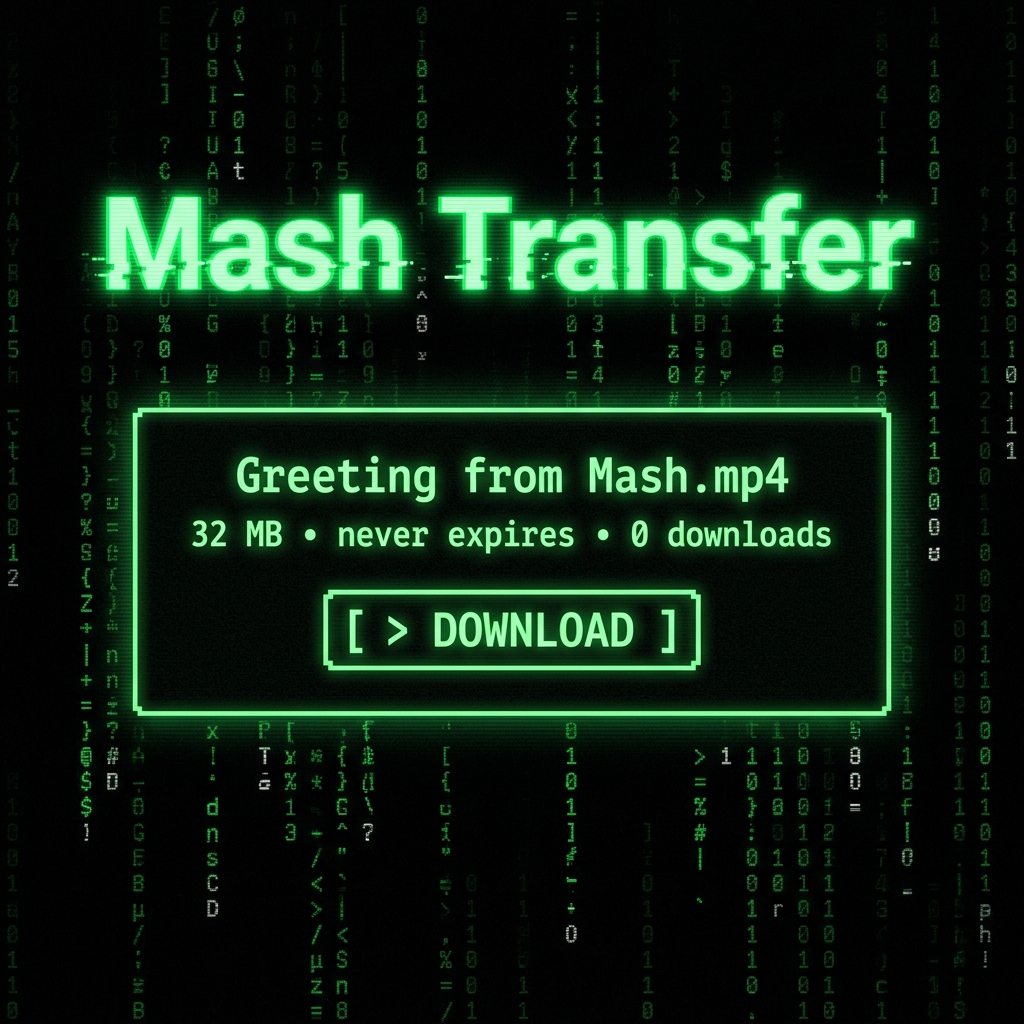
Every file gets its own terminal-styled download page. It shows the filename, size, and a download count — all rendered in the signature green-on-black aesthetic of the dashboard.
Greeting from Mash.mp4
32 MB  •  never expires  •  0 downloads

[ > DOWNLOAD ]
It’s clean, it’s fast, and it loads instantly on Cloudflare’s edge network — no spinner, no “preparing your download” fake progress bar.
A Gift Link for You
As a thank-you for visiting this small corner of the internet, here’s a download link — a short video greeting from me:
This link won’t expire. That’s kind of the whole point.
Mash Transfer is part of dash.mash.ovh, my personal dashboard. It’s not open to the public — but if you’re curious how it works, feel free to ask.
> GUESTBOOK LOG
> Fetching terminal logs...