Terminal Guestbook: Building the Retro Future
EXECUTION LOG: GUESTBOOK_RECONSTRUCTION
There was something magical about the 90s web. It wasn’t just the blinking text or the tiled backgrounds; it was the Guestbook. It was a digital handshake, a way to say “I was here” before social media transformed our presence into a stream of algorithmic metrics.
When I set out to build mash.ovh, I knew I couldn’t just have a static site. I needed that handshake. I needed a terminal-style Guestbook.
The Vision: Retro UI, Modern Core
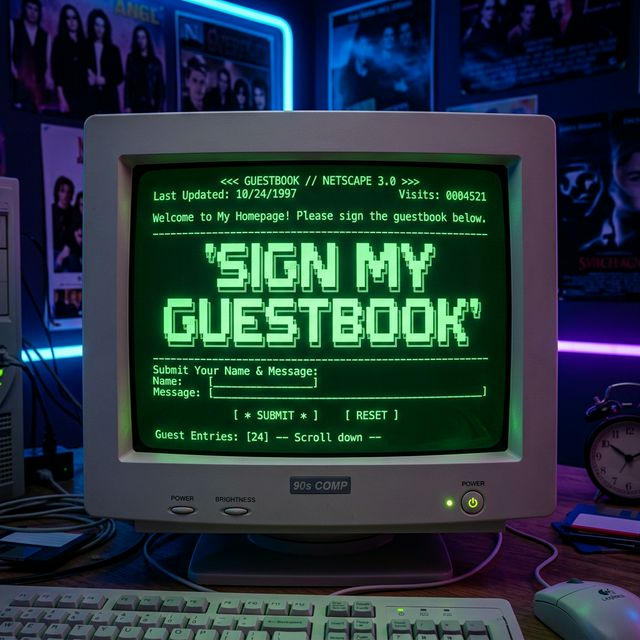
The goal was simple: a green-on-black terminal window where users could type their name and message. It had to feel like a Unix terminal—minimal, functional, and slightly mysterious.
But behind this 16-bit aesthetic, I wanted to use the latest “Cloud Native” technology:
- Astro v6: The cutting-edge framework for content-driven sites.
- Cloudflare D1: A serverless SQL database that lives on the edge.
- Cloudflare Turnstile: Invisible bot protection that doesn’t ruin the 90s vibe with “Select all buses” captchas.
The Challenge: The Astro v6 “Hiccup”
Building the UI was the easy part. The real challenge came from the framework itself. If you’ve been following the Astro ecosystem, you know that Astro 6.0 is a major leap forward, especially in how it handles the Cloudflare runtime.
Mid-development, we hit a wall. In previous versions, we accessed our database bindings via Astro.locals.runtime.env. But in the stable release of v6, this property was deprecated and removed. The system returned a cryptic 500 error:
"Astro.locals.runtime.env has been removed in Astro v6. Use 'import { env } from \"cloudflare:workers\"' instead."
The Solution: Migration to Virtual Modules
This was the “aha!” moment. Astro v6 has unified the development and production environments by running on Cloudflare’s workerd runtime locally. To access our D1 database and Turnstile secrets, we had to switch to the new standard.
By importing env directly from the cloudflare:workers virtual module, we bypassed the legacy simulation layers. This allowed our Guestbook to talk directly to the SQL database sitting in Cloudflare’s data centers.
// The New Astro v6 Standard
// @ts-ignore
import { env } from 'cloudflare:workers';

export const POST: APIRoute = async ({ request }) => {
  const { DB } = env;
  // ... insert into guestbook table ...
}
Final Polish: CRT & Passthrough
The final touch was ensuring the images looked as retro as the code. By configuring the Astro image service to passthrough, we avoided modern compression that would have blurred our crisp pixel art. We also layered a CRT flickering effect over the terminal to complete the immersion.
Conclusion: Digital Nostalgia is Persistent
The Terminal Guestbook is now live. It’s a reminder that even as we move towards more complex, AI-driven architectures, there’s always room for the simplicity of a “Hello World” written in a guestbook.
If you’re reading this, please Sign the Guestbook. Let me know you were here.
MISSION COMPLETE. STATUS: [STABLE]
> GUESTBOOK LOG
> Fetching terminal logs...